How a WhatsApp sales pipeline works in Kamay
What the Kamay sales pipeline is and the path of each customer: from the WhatsApp chat to a lead, through your stages, until you win or lose it.
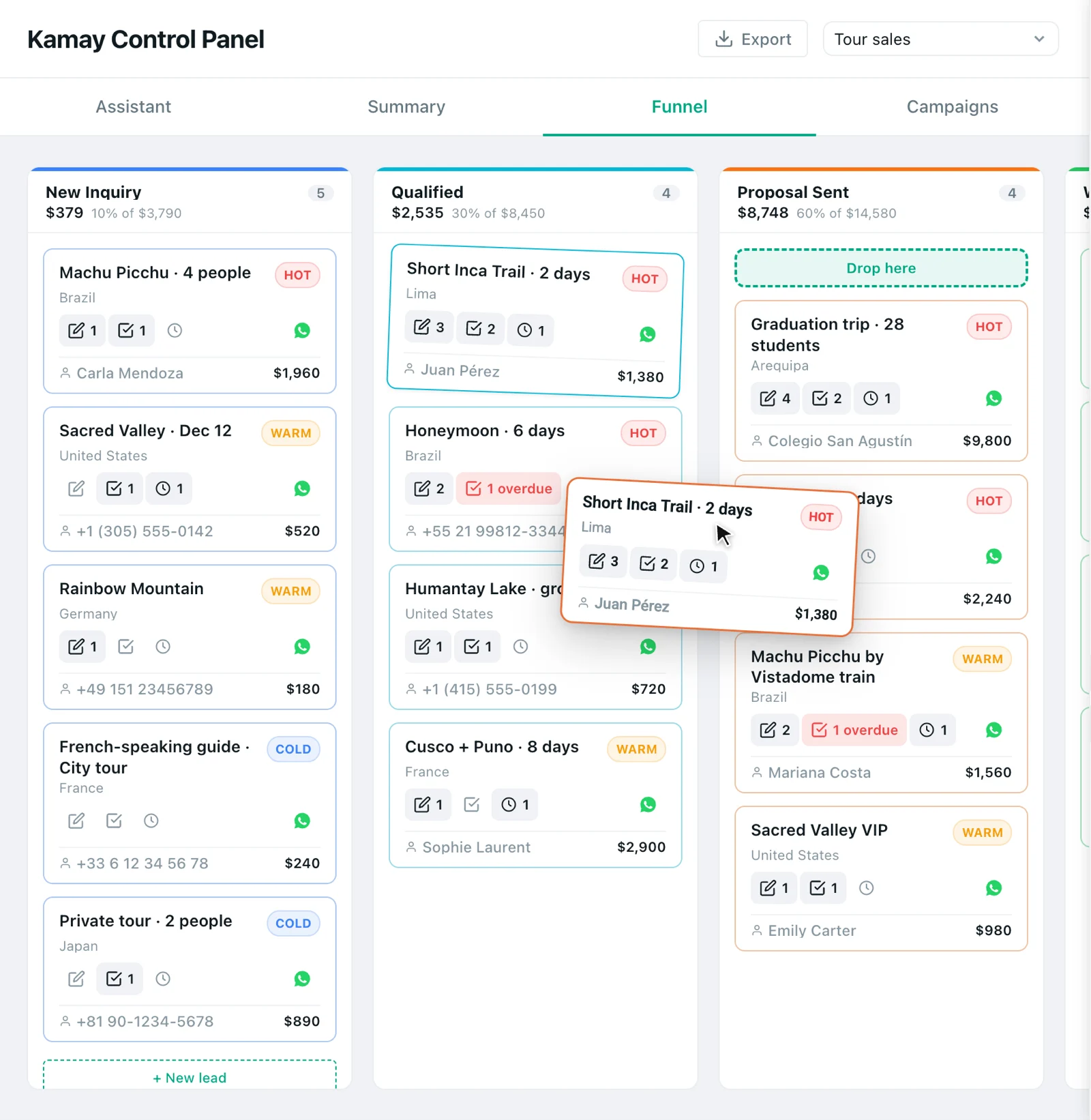
A WhatsApp sales pipeline sorts your customers by how close they are to buying. In Kamay, every chat you turn into a lead is a card that moves through the stages until you mark it won or lost.
What the sales pipeline is in Kamay
- Stages. These are the columns of the board, for example New Inquiry, Qualified and Proposal Sent. Each one has a closing probability: the 100% one is the won stage and the 0% one is the lost stage.
- Leads. These are your potential customers, linked to each person’s chat, with a title, value, priority (Hot, Warm or Cold) and close date.
- Weighted value. Each column multiplies the value of its leads by the stage’s probability. A USD 1,960 tour in a 60% stage contributes USD 1,176.
Kamay has no labels of its own: to sort leads, you use the stage, the priority and the source of the lead. How many leads and pipelines your plan allows is on Pricing.
1. Prepare your stages
Your account starts with a pipeline and its stages ready, or with the ones from the template you chose when you got started with Kamay. Adjust them or add more in Settings › Funnel Settings, as explained in how to build a sales pipeline and its stages.
2. Turn a chat into a lead
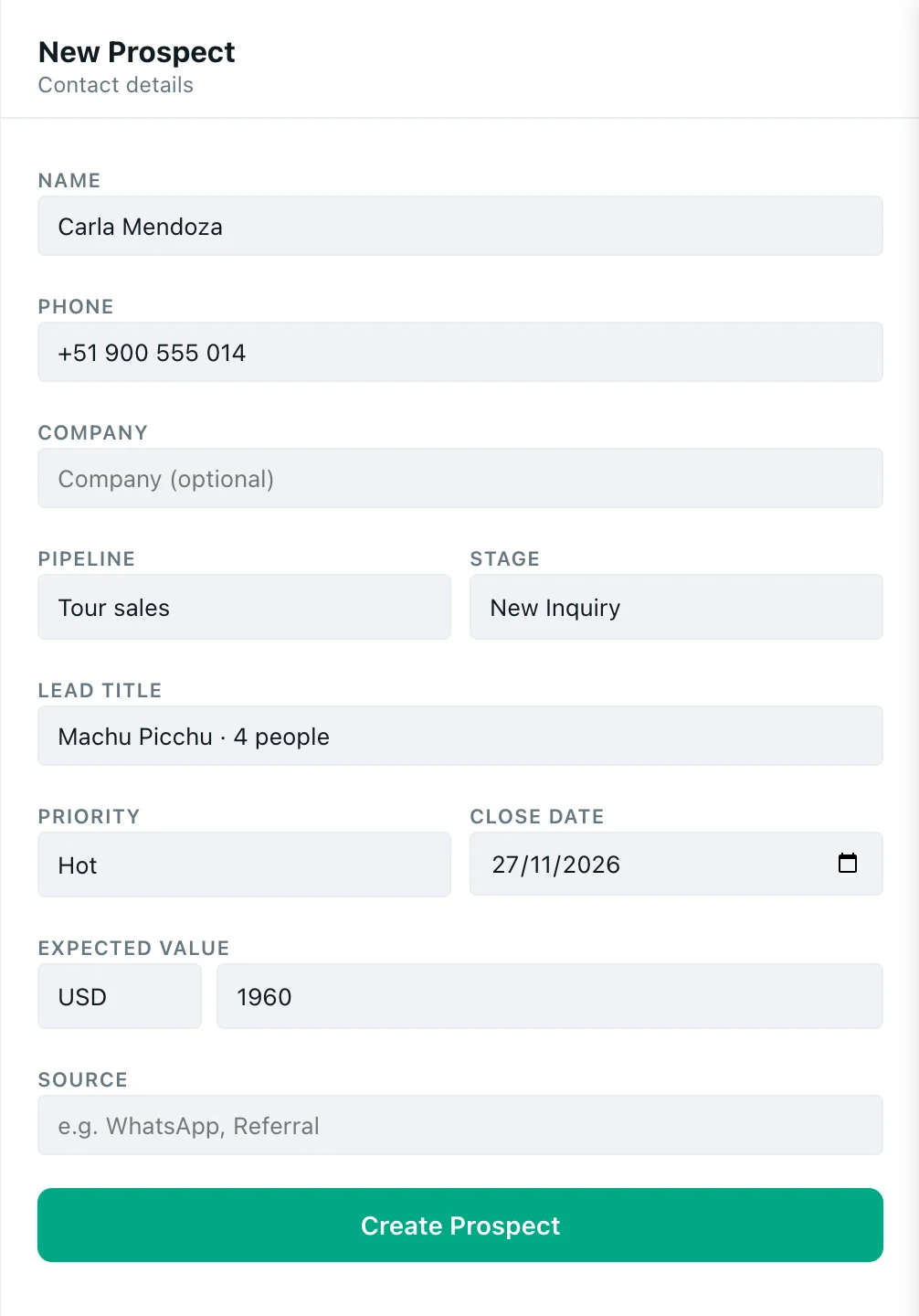
Open a customer’s chat and click Client in the Kamay bar. The AI reads the conversation and suggests a title, value and priority; you review it and create the lead. Step by step in how to turn WhatsApp chats into customers.
3. Move the lead through the stages
In Dashboard › Funnel, you drag the card to the next column when the sale moves forward. The sales kanban board explains every button. Clicking a card opens the lead record, with its details and its history.
The Kamay assistant can also move it, as long as you confirm.
4. Follow up
So that no lead goes cold, schedule calls, meetings or tasks from its record, as described in lead follow-up tasks. For notes and scheduled messages, see how to follow up with customers on WhatsApp. The Today block tells you every morning where to start.
5. Close it: won or lost
When the customer buys or you drop the lead, take the card to the won or lost stage. Kamay asks you for the final value or the reason, and the closing counts in the Conversion in Dashboard › Summary. It’s explained in how to mark a sale as won or lost.
If you’re just starting out, the first step is to set up your sales pipeline.